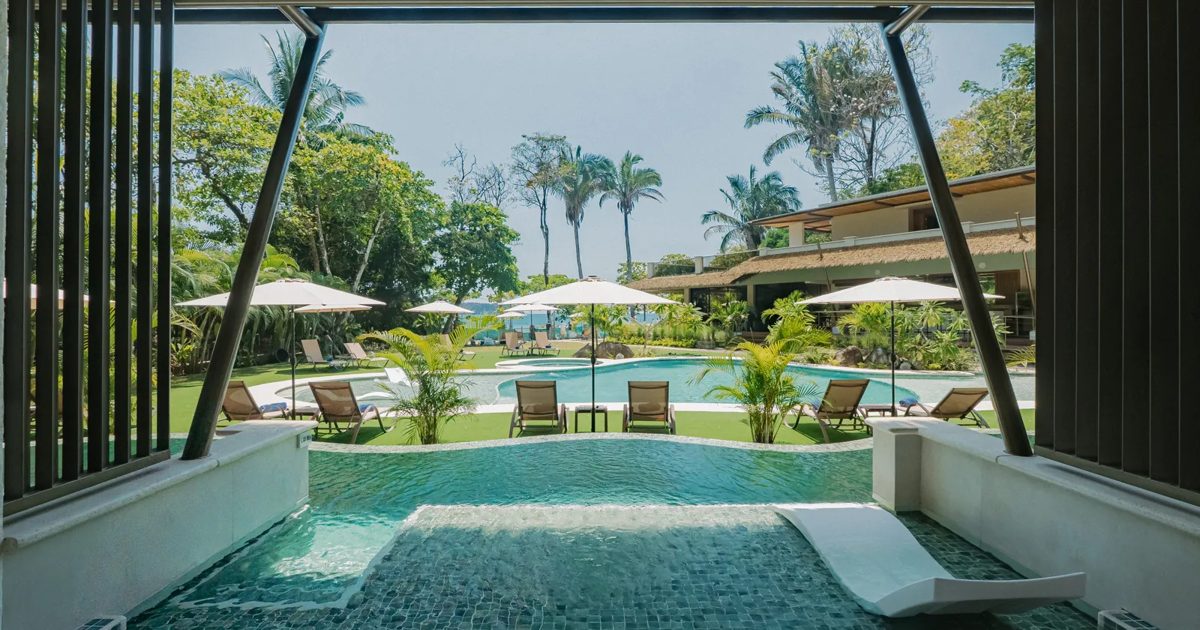
Miamar · Sitio web · Octubre 2026
Al preparar artículos para el blog y revisar cómo aparece Miamar en Google, WhatsApp y los asistentes de IA, encontramos algunos puntos que conviene completar. El sitio se ve muy bien y el motor de reservas funciona perfecto; lo que falta es la capa que le explica el hotel a los buscadores. Abajo está todo ordenado por prioridad, con los textos y el código listos para usar.
Archivos listos para usar
Arreglos rápidos, en total cerca de una o dos horas.
Rank Math o Yoast, ambos compatibles con WPML.
Es la herramienta para escribir la descripción que muestra Google, la vista previa al compartir y el mapa del sitio.
Listo cuando el plugin está activo y configurado en inglés y español.
Inglés, título
Inglés, descripción
Español, título
Español, descripción
Listo cuando Google muestra la descripción nueva (puede tardar unos días).
En el plugin de SEO, pestaña social, usar la imagen de 1200 x 630 para la página principal en ambos idiomas.
Hoy, al compartir miamar.com por WhatsApp solo aparece el logo.
Listo cuando un enlace pegado en WhatsApp muestra la foto, el título y la descripción.
Enviar el mapa del sitio que genera el plugin (o https://www.miamar.com/wp-sitemap.xml).
Nunca se ha enviado, y Google todavía no conoce 6 de las 7 páginas, incluidos los artículos del blog.
Listo cuando Search Console marca el mapa del sitio como «Correcto».
La entrada de prueba de WordPress está publicada e indexada en inglés y en español.
Listo cuando /hello-world/ y /es/hola-mundo/ ya no cargan.
| Archivo | Texto alternativo propuesto |
|---|---|
Artboard-19.png, miamartransp.png, logotransp.png, logotipomovil.png | Miamar Quiet Lux Beach Resort |
miamar-05815.jpg | Una pareja comparte un cóctel en la terraza de Miamar / A couple sharing a cocktail on the Miamar terrace |
park.webp | Sendero entre el bosque en el Parque Nacional Manuel Antonio / Boardwalk through the rainforest in Manuel Antonio National Park |
| Banderas de idioma | English / Español |
Hoy ninguna de las 12 imágenes tiene descripción, y es lo que leen Google y los lectores de pantalla.
El teléfono y el WhatsApp ya están en el pie de página. Falta agregar el correo (info@miamar.com), una dirección escrita y unas líneas de cómo llegar (desde el aeropuerto de Quepos y desde San José), y que el mapa marque el hotel en lugar de Playa Espadilla en general.
Google y la IA usan estos datos para confirmar dónde está el negocio, y los huéspedes los buscan antes de reservar.
Duplicator y All-in-One WP Migration están activos. Lo usual es desactivarlos cuando no se están usando.
Pegar el archivo de datos estructurados en el encabezado de todo el sitio (por ejemplo con el plugin Code Snippets, que ya está instalado). Antes de publicarlo, completar las coordenadas del hotel marcadas «FILL-IN».
Es la ficha del hotel en el formato que leen Google y ChatGPT, e incluye el enlace directo a reservas.
Listo cuando la prueba de resultados enriquecidos de Google detecta el hotel sin errores.
Subir el archivo llms.txt a la raíz del sitio.
Es un resumen en texto simple que los asistentes de IA leen primero.
Listo cuando https://www.miamar.com/llms.txt carga el texto.
Les enviamos un correo aparte con los artículos, las fotos y los pasos.
Donde el diseño lo permita, usar widgets de imagen con texto alternativo en lugar de imágenes de fondo para las fotos más importantes (suites, playa, piscina).
Las imágenes de fondo no las ve Google como fotos del hotel.
Hoy todo el sitio es una sola página, así que las búsquedas sin el nombre no tienen dónde llegar. Recomendamos páginas para: cada tipo de suite, Playa Espadilla, solo adultos y el restaurante Yemaya, en ambos idiomas. Nosotros podemos preparar los textos y las fotos.
Google le da 56 de 100 en celular. Ayudan las imágenes en WebP comprimidas, un plugin de caché y desactivar funciones de Elementor que no se usan.
Miamar · Website · October 2026
While preparing blog posts and looking at how Miamar shows up on Google, WhatsApp and AI assistants, we found a few things worth completing. The site looks great and the booking engine works perfectly; what's missing is the layer that explains the hotel to search engines. Everything is below in priority order, with the text and code ready to use.
Ready-to-use files
Quick fixes, about one to two hours in total.
Rank Math or Yoast, both compatible with WPML.
It's the tool for writing the description Google shows, the share preview and the sitemap.
Done when the plugin is active and set up in English and Spanish.
English, title
English, description
Spanish, title
Spanish, description
Done when Google shows the new description (it can take a few days).
In the SEO plugin's social tab, use the 1200 x 630 image for the homepage in both languages.
Right now, sharing miamar.com on WhatsApp shows only the logo.
Done when a link pasted into WhatsApp shows the photo, title and description.
Submit the sitemap the plugin generates (or https://www.miamar.com/wp-sitemap.xml).
It has never been submitted, and Google doesn't know 6 of the 7 pages yet, including the blog posts.
Done when Search Console shows the sitemap as "Success".
WordPress's default test post is published and indexed in English and Spanish.
Done when /hello-world/ and /es/hola-mundo/ no longer load.
| File | Proposed alt text |
|---|---|
Artboard-19.png, miamartransp.png, logotransp.png, logotipomovil.png | Miamar Quiet Lux Beach Resort |
miamar-05815.jpg | A couple sharing a cocktail on the Miamar terrace / Una pareja comparte un cóctel en la terraza de Miamar |
park.webp | Boardwalk through the rainforest in Manuel Antonio National Park / Sendero entre el bosque en el Parque Nacional Manuel Antonio |
| Language flags | English / Español |
None of the 12 images has a description today, and that's what Google and screen readers read.
The phone and WhatsApp are already in the footer. Still missing: the email (info@miamar.com), a written address, a few lines on how to get there (from Quepos airport and from San José), and a map pinned on the hotel rather than on Playa Espadilla in general.
Google and AI use these details to confirm where the business is, and guests look for them before booking.
Duplicator and All-in-One WP Migration are both active. The usual practice is to deactivate them when they're not in use.
Paste the structured data file into the site-wide header (for example with the Code Snippets plugin, which is already installed). Before publishing, fill in the hotel's coordinates marked "FILL-IN".
It's the hotel's profile in the format Google and ChatGPT read, including the direct booking link.
Done when Google's Rich Results Test detects the hotel with no errors.
Upload the llms.txt file to the site root.
It's a plain-text summary that AI assistants read first.
Done when https://www.miamar.com/llms.txt loads the text.
We're sending a separate email with the posts, photos and steps.
Where the design allows, use image widgets with alt text instead of background images for the key photos (suites, beach, pool).
Google doesn't see background images as photos of the hotel.
Today the whole site is one page, so searches without the name have nowhere to land. We recommend pages for each suite type, Playa Espadilla, adults-only and Yemaya restaurant, in both languages. We can prepare the text and photos.
Google scores it 56 out of 100 on mobile. Compressed WebP images, a caching plugin and switching off unused Elementor features all help.